 CerubXOpen CerubX
A Google Keep alternative for people who text themselves
Google Keep is free, quick and tied to your Google account, and its note cards are great for a shopping list or a phone number. When notes pile up, though, a wall of cards gets hard to keep in order.
CerubX puts notes into chats instead. You add things just as quickly, but each topic has its own place, and photos, voice notes and lists sit together in the order you made them.
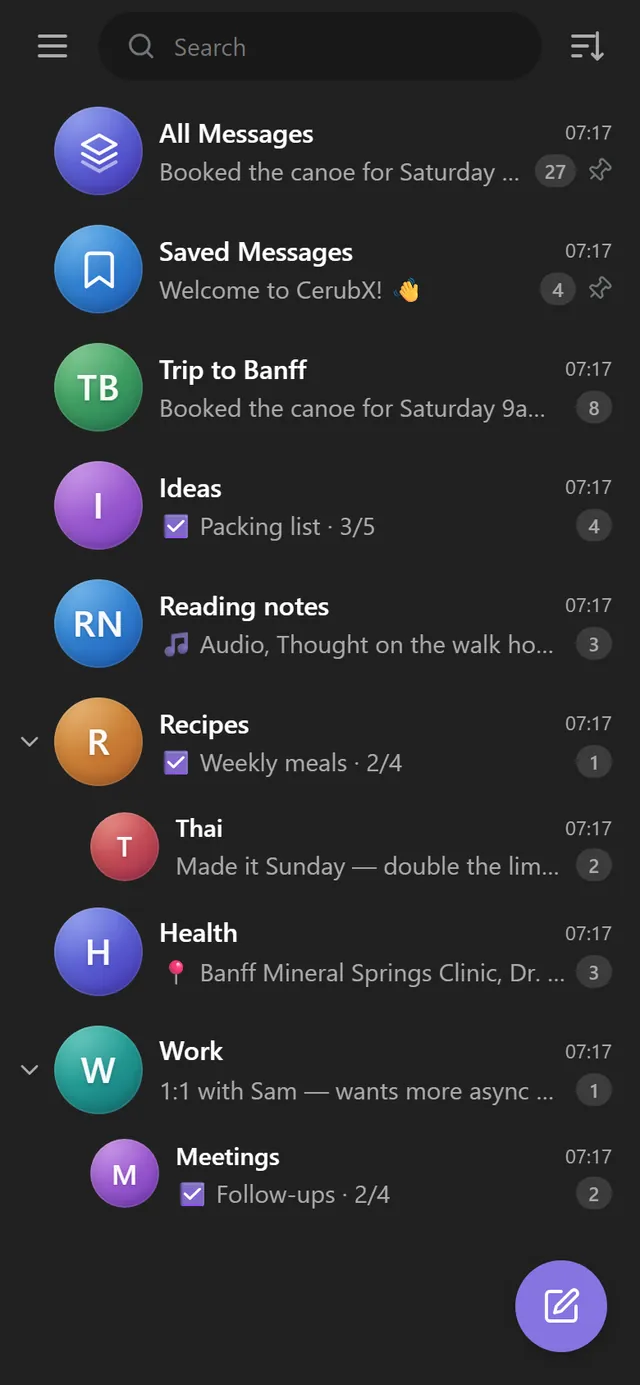
You already text yourself everything. CerubX makes it searchable, organised and private.
Chats for everything
Give a trip, a project or your recipes a chat of its own. Chats can sit inside chats, and one note can be in several chats at once. Saved Messages is the inbox: send anything there first and sort it later.
Search that reads your photos
CerubX can turn the text in a photo (a receipt, a book page, a whiteboard) into searchable text, free. With CerubX Plus or your own Anthropic key, Claude can read new photos for you automatically.
Voice notes with a transcript
Record a thought and get the words written out, so voice notes turn up in search like everything else.
Lists that show progress
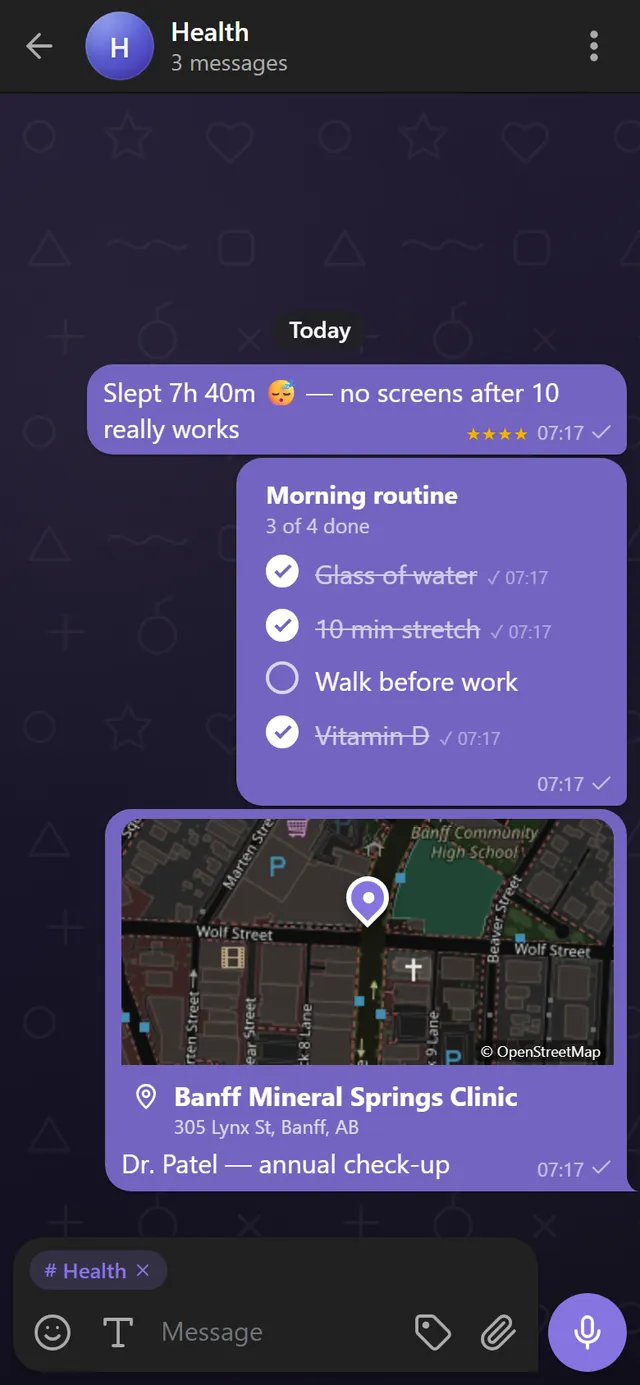
Checklists show how far you are (“2 of 5 done”). Star notes, mark them in progress or done, and hide what’s finished.
Photos, files and places
Group photos into albums, keep files and books, share a place on a map and save web pages, all in the chat they belong to.
Calendar and reminders
A calendar with reminders sits next to your notes.
Private by design
No ads and no trackers. Your notes are only visible to you, sent over encrypted connections and stored encrypted. AI and location features stay off unless you turn them on.
Yours to take with you
Export a chat to PDF, or all your data, at any time. Delete your account and everything goes.
Google Keep and CerubX side by side
| Google Keep | CerubX | |
|---|---|---|
| How notes look | Cards on a board | Messages in chats, in the order you made them |
| Organising | Labels, colours and pins | Chats, chats inside chats, one note in several chats |
| Account | Your Google account | A CerubX account, with no ads or trackers |
| Also inside | Reminders | A calendar with reminders, albums, files, books, places and saved web pages |
If you want free notes that live in your Google account next to your other Google apps, Keep is hard to beat. CerubX is for when you want your notes organised like conversations, in an app with no ads or trackers. Details about other apps were checked on 2026-11-14 and may change.
Free to start. Plus when you need more.
Free
$0
- Chats, notes, books, scans and calendar
- 2 GB of storage
- Free text recognition (OCR)
- Your own Anthropic key for AI, if you like
CerubX Plus
CA$4.99/month
or CA$39 a year
- Everything in Free
- 100 GB of storage
- Videos up to 500 MB, files up to 100 MB
- AI included: handwriting to text, Claude OCR, study help, whiteboard reading
Prices in Canadian dollars; sales tax may apply. Cancel any time, and get your money back within 14 days (Refund Policy).
Questions
Is CerubX made by Google?
No. CerubX is an independent app made by CERUBX SOFTWARE CORP. in Vancouver, Canada.
Can I import from Google Keep?
Not automatically yet. On Android you can share notes and photos from Keep to CerubX.
Is CerubX free?
Yes. The free plan includes chats, notes, checklists, voice notes, the calendar and 2 GB of storage. CerubX Plus (CA$4.99 a month or CA$39 a year) adds 100 GB, bigger videos and files, and AI features. You can cancel any time, and payments can be refunded within 14 days.
Where can I use it?
In any web browser at cerubx.com, in the Android app, and on your computer. Your notes stay in sync between them.
Can other people see my notes?
No. CerubX is for you alone: there are no contacts, no followers and nothing public. Notes are sent over encrypted connections and stored encrypted.
Can I get my notes out again?
Yes. You can export a chat to PDF or download all your data at any time, and deleting your account deletes your notes.
Try it with your next note
Free on the web and Android. No card needed.